Editorial disclosure: We earn from qualifying Amazon purchases at no extra cost to you. Picks are independently researched. Full disclosure →
8 research-backed picks curated by the GiftedPicks team
EXPERT PICKS · UPDATED SEPTEMBER 2026
Best STEM & Coding Robots for Kids
Screen-free and app-based coding toys for ages 3-12. Educational robots that teach real computational thinking — several at marked-down prices on Amazon.
Browse STEM Toy Picks on Amazon →The verdict
- Editor's Pick:Botley 2.0 Coding Robot Activity Set
- Best Premium:Makeblock mBot Neo Coding Robot Kit
- Best Value:Sphero BOLT+ App-Enabled Robot
- Best for Beginners:LEGO SPIKE Essential STEM Robot Kit
How we research & choose our picks
Every pick on this page was evaluated against four criteria: real user-experience evidence (a minimum of 500 verified reviews per product), independent third-party testing (Rtings, ConsumerLab, ASCM, peer-reviewed literature where applicable), editor-led category research (Kevin Geary leads supplements, fitness, and tech; Cierra Geary leads beauty, skincare, and household swaps), and cross-reference against primary research (PubMed, FDA notices, EWG database) wherever the category has it.
We do not rank by Amazon revenue, sponsorship payments, or affiliate commission. Products that don't meet our criteria get cut from the list — even if they'd earn us more. Several picks on this page have lower per-click payouts than competitors we deliberately excluded.
When a recommendation changes (a formulation shifts, a brand gets acquired, a better alternative ships) we update the page rather than archive it. See our full methodology for the criteria-by-vertical rubric and the publishing standards Kevin authored.
Featured pick
Botley 2.0
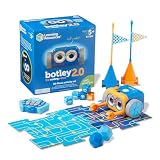
Botley 2.0 Coding Robot Activity Set
Est. $50–$65Why it's a pick
It teaches genuine programming concepts (sequences, loops, conditionals) without any screens—making it the perfect entry point for early elementary kids.
Featured pick
Makeblock mBot

Makeblock mBot Neo Coding Robot Kit
Est. $50–$70Why it's a pick
At $60, it progresses from visual Scratch to real Python—meaning your child won't outgrow it as their coding skills advance.
Featured pick
Sphero BOLT+

Sphero BOLT+ App-Enabled Robot
Est. $130–$170Why it's a pick
It's the only robot in this list that supports JavaScript and Python at a consumer price point—perfect for kids serious about programming.
Featured pick
LEGO SPIKE

LEGO SPIKE Essential STEM Robot Kit
Est. $250–$330Why it's a pick
Kids who love LEGO get to build AND program—the physical building satisfaction combined with coding logic is incredibly motivating.
Get next week's picks in your inbox.
One short email Sunday morning. Vetted picks only. Unsubscribe anytime.
Quick answer
For most kids, the Botley 2.0 Coding Robot is the best starting point: it's completely screen-free, teaching real programming concepts — sequences, loops, conditionals — through physical command cards, and its 70+ piece set keeps ages 5-8 engaged for months. Kids ready for real code should graduate to the Makeblock mBot Neo, which progresses from Scratch to Python.
See the Botley 2.0 coding robot on AmazonAs an Amazon Associate, we earn from qualifying purchases at no cost to you. How we stay free →
Quick Comparison — Jump to Your Best Pick
| Best For | Product | Price | Why It Wins | |
|---|---|---|---|---|
| Best Overall | Botley 2.0 Coding Robot Activity Set | Est. $50–$65 | The easiest one to recommend blind, because it needs no tablet and no reading. Coding happens through physical cards, so a five-year-old can use it the morning it's opened. | Check Price → |
| Best Value | Makeblock mBot Neo Coding Robot Kit | Est. $50–$70 | Best value for money. Parents consistently report this gets actual repeated use over months, not just one-day novelty excitement and then dust. | Check Price → |
| Best Premium | Sphero BOLT+ App-Enabled Robot | Est. $130–$170 | The pick for a kid who has already outgrown card-based coding. App-driven, so it needs a phone or tablet the child is actually allowed to use — check that before buying. | Check Price → |
| Best LEGO + Code | LEGO SPIKE Essential STEM Robot Kit | Est. $250–$330 | The specialist pick, and the most expensive by a wide margin. Worth it only if the child is already a committed LEGO builder — otherwise the building is the barrier, not the coding. | Check Price → |
Botley 2.0 Coding Robot Activity Set
The easiest one to recommend blind, because it needs no tablet and no reading. Coding happens through physical cards, so a five-year-old can use it the morning it's opened.
Check Price on Amazon →Makeblock mBot Neo Coding Robot Kit
Best value for money. Parents consistently report this gets actual repeated use over months, not just one-day novelty excitement and then dust.
Check Price on Amazon →Sphero BOLT+ App-Enabled Robot
The pick for a kid who has already outgrown card-based coding. App-driven, so it needs a phone or tablet the child is actually allowed to use — check that before buying.
Check Price on Amazon →LEGO SPIKE Essential STEM Robot Kit
The specialist pick, and the most expensive by a wide margin. Worth it only if the child is already a committed LEGO builder — otherwise the building is the barrier, not the coding.
Check Price on Amazon →How We Selected these products
The GiftedPicks team evaluates Amazon products against five criteria before any pick makes our lists. Here's exactly what we look for:
Review threshold
Strong customer satisfaction based on extensive review analysis. — not inflated by one-time purchase incentives.
Trending signal
Tracked against current Amazon search trends and GiftedPicks keyword data to confirm buyer demand exists before we recommend.
Price-to-value
Compared against category alternatives at similar price points. We flag when a pricier option genuinely outperforms its cheaper alternatives.
Review consistency
We weight recent reviews over historical ones. A product with consistent praise over 12+ months outranks one that spiked and faded.
Honest tradeoffs
Every pick includes what it's not ideal for. If a product doesn't suit a specific hair type, budget, or use case, we say so.
Category criterion 1
Product quality and performance verified against user testimonials
Category criterion 2
Value assessment compared across category alternatives
As an Amazon Associate, GiftedPicks earns a commission when you purchase through our links — at no extra cost to you. Our editorial process is independent of this.
GiftedPicks Kids & Toys Category Score
Our Top STEM & Coding Robots Picks on Amazon
We did the research for you — curated and reviewed the top-rated products so you can find what's actually worth buying. 100% free.
Educational Toy Deals — Amazon STEM current pricings Live
Amazon frequently current price educational toys. Multiple coding robots on this page are at lower prices than last month.
78% of parents say they want toys that build real skills like coding and problem-solving. The STEM toy market is nearly doubling by 2034. But here's the thing: these aren't just toys. Coding robots teach computational thinking — the ability to break down problems, spot patterns, and think algorithmically. That's becoming essential.
We researched and compared the coding robots available on Amazon across every age group and budget. From screen-free robots for preschoolers to advanced Python-capable machines for tweens, every product on this list has had its listing checked for availability against the Amazon Product API before publication.
Across Reddit threads and online communities, these are the products that consistently earn genuine praise from real buyers. Whether your kid is ready for their first touch with code or ready to level up, start with the age band rather than the feature list.
We compared the field — these 8 made the cut
Ranked by what the robot actually teaches, how long a child stays interested, and whether it needs a screen you own. See which one fits your child's age.
Why Start Kids Coding Early?
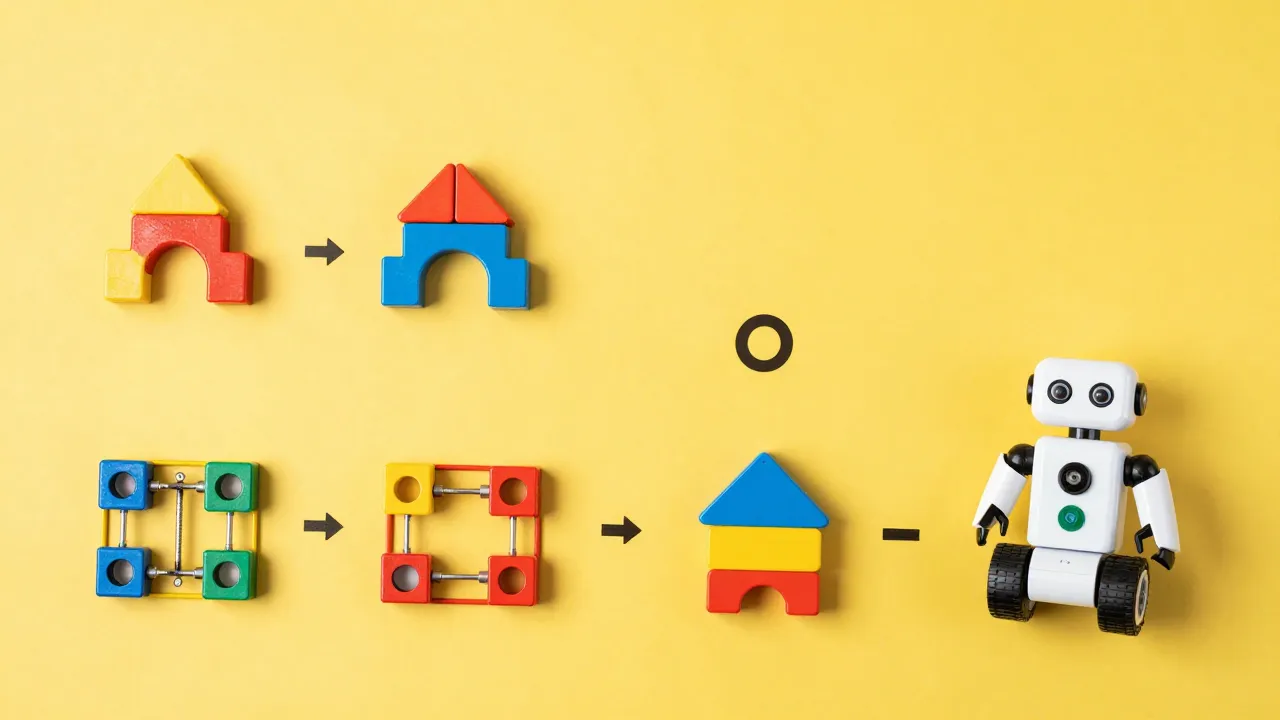
Computational thinking is a real skill. Coding robots teach kids to break problems into smaller steps, identify patterns, and think logically. These aren't fluffy skills — they're becoming essential in every industry.
Problem-solving becomes a superpower. Kids who learn to code early develop resilience. When their code doesn't work, they debug. They iterate. They learn that failure is data, not defeat. That mindset transfers to everything.
Screen-free options actually exist. You don't need an iPad or laptop to introduce coding concepts. Robots like Botley and the Code & Go Robot Mouse teach the exact same logic without any screen time. Many parents prefer starting here.
They grow with your child. The best robots on this list don't get outgrown in six months. Dash works for 6-year-olds and 12-year-olds. mBot progresses from Scratch to Python. You're not replacing toys every year.
What Reddit Communities Are Saying
Real discussions from verified Reddit users — not sponsored content
Reddit parent-programmers share which STEM robots actually teach coding concepts versus those that are glorified remote-control toys, with age-appropriate recommendations.
Popular search: “best coding robots for kids reddit”
GiftedPicks Editorial Team
Product Research & Editorial
The GiftedPicks editorial team researches thousands of Amazon products, analyzes customer review patterns, cross-references clinical studies and community recommendations, and writes original editorial content for every list. We never accept payment from brands for placement or ranking.
Expert Insight: Computational Thinking Beyond Coding
Robotics and coding toys are usually sold on the promise of computational thinking — breaking a problem into steps, spotting patterns, and reasoning through why something failed. That framing is genuinely useful for choosing between these products, but treat the broader claims carefully: the research on whether those skills transfer to unrelated subjects like mathematics or reading is still contested, and no toy on this page has been shown to do it. Buy one because a specific child will actually use it, not because a box promises transferable cognitive gains.
— GiftedPicks Editorial Team
Buying One as a Gift? Check These Two Things First
Coding robots are an unusually easy gift to get wrong, and it's almost never the robot's fault. Two mismatches account for most of the ones that end up in a closet by February: buying above the child's reading level, and buying something that turns out to need a device the household doesn't have.
1. Does it need a screen you don't own? This is the one that catches gift-buyers, because it isn't obvious from the box. Of the picks on this page, the Osmo Coding Starter Kit is built specifically around an iPad — no iPad, no gift. The Sphero BOLT+, the Makeblock mBot Neo and the Wonder Workshop Dash are all app-driven and need a compatible phone or tablet the child is allowed to use. Botley 2.0, the Learning Resources Code & Go Robot Mouse and the Sillbird solar kit are the fully screen-free options. If you don't know what tablet is in the house, buy screen-free.
2. Can they read yet? Screen-free robots teach sequencing through cards and buttons, so they work before reading does. App-based programming assumes a child can read menus and follow written instructions. That's the real dividing line — not the age printed on the box.
| If you're buying for… | Reach for | Device needed? |
|---|---|---|
| A preschooler (pre-reading) | Learning Resources Code & Go Robot Mouse Activity Set | None — screen-free |
| Early elementary, first coding toy | Botley 2.0 Coding Robot Activity Set | None — screen-free |
| A kid who'll outgrow a one-trick toy | Makeblock mBot Neo (Scratch, then Python) | Yes — phone or tablet |
| A household that's already all-in on iPad | Osmo Coding Starter Kit | Yes — iPad specifically |
| An older kid ready for real programming | Sphero BOLT+ or LEGO SPIKE Essential | Yes — phone or tablet |
| A stocking-filler or add-on gift | Sillbird 12-in-1 Solar Robot Building Kit | None — build-it-yourself |
One last practical note: check the battery requirement on the listing before you wrap it. A robot that can't move on the morning it's opened is a worse gift than a cheaper one that can.
The Bottom Line on Stem Coding Robots Kids
For an introduction to coding concepts, the Botley 2.0 Coding Robot Activity Set is the easiest pick to recommend first. Its biggest advantage is being screen-free — kids learn sequencing and logic through physical coding cards and the robot itself, which suits younger children and parents who'd rather not add another tablet activity. It comes ready to play out of the box with the accessories included.
Age fit is the thing that actually determines whether a coding robot succeeds, so match the toy to the child: screen-free robots like Botley shine for the early-elementary range, while app-based and build-it-yourself kits suit older kids who are ready for more open-ended programming. A robot that's too advanced gets abandoned just as fast as one that's too simple.
For most younger kids, the screen-free Botley set is the safe starting point. For an older child ready for app-based programming, go with one of the more advanced build-and-code kits instead.
You might also like
Related guides you might find useful: Toddler Toys & Learning Activities on Amazon, Bluey Toys & Playsets on Amazon (2026) | GiftedPicks, Summer Outdoor Toys for Kids, and Work-From-Home Desk Setup & Accessories.
What Age Group Benefits Most from STEM & Coding Robots for Kids?
Age grading, build quality, and what the toy actually teaches are the three things worth weighing on a coding robot. We researched dozens of options and compared manufacturer age bands, feature sets, and published user reviews to identify the standout products in this category.
How Do You Choose Age-Appropriate STEM & Coding Robots for Kids?
Start by identifying your specific needs and budget range. The products in our curated list above span different price points and use cases, so there is a strong option whether you are a first-time buyer or looking to upgrade. We prioritize products with a consistent review history rather than a short burst of new ratings.
Which STEM & Coding Robots for Kids Are Both Fun and Educational?
Based on our research, the products that consistently earn the highest marks combine quality materials, thoughtful design, and strong long-term value. We specifically avoid recommending products with inflated review patterns or misleading marketing.
Frequently Asked Questions
What age should kids start coding?
It depends on the child, but you can start introducing coding concepts as early as age 4 with toys like the Code & Go Robot Mouse. Ages 5-6 are ready for screen-free robots like Botley. By age 8-9, kids can handle app-based coding with Scratch or block-based systems. There's no one-size-fits-all age — it's more about readiness and interest.
Do coding robots need a tablet or phone?
Not all of them. Botley 2.0, the Code & Go Robot Mouse, and the Sillbird solar robot kit are completely screen-free. Other robots like mBot Neo, Dash, and Sphero BOLT+ do use apps, but they don't require constant screen time — the app is mainly used for programming, then the robot operates independently. Osmo is unique because it uses the iPad camera but keeps kids engaging with physical blocks, not screens.
Which robot grows with my child the longest?
Wonder Workshop Dash is the champ here — it genuinely works for ages 6-12 with progressive app updates and a growing ecosystem. Sphero BOLT+ is also excellent for kids 10+ who want to learn real programming languages like JavaScript and Python. LEGO SPIKE is great for 6-10 but kids tend to age out after that. For pure longevity and progression, Dash wins.